





A desktop home for the agents you already pay for.
Aurelius Agent is a free desktop app that drives the Claude Code and Codex CLIs already installed on your machine. It runs on the subscription you have, with no extra sign-up.
Check you are ready
claude --versionIf one of these answers, Aurelius can drive it. No CLI? The native engine talks to an OpenAI-compatible model server you configure, including a local one.
See it work
Thirty seconds: pick an engine, send a prompt, approve a tool call, watch the tokens.
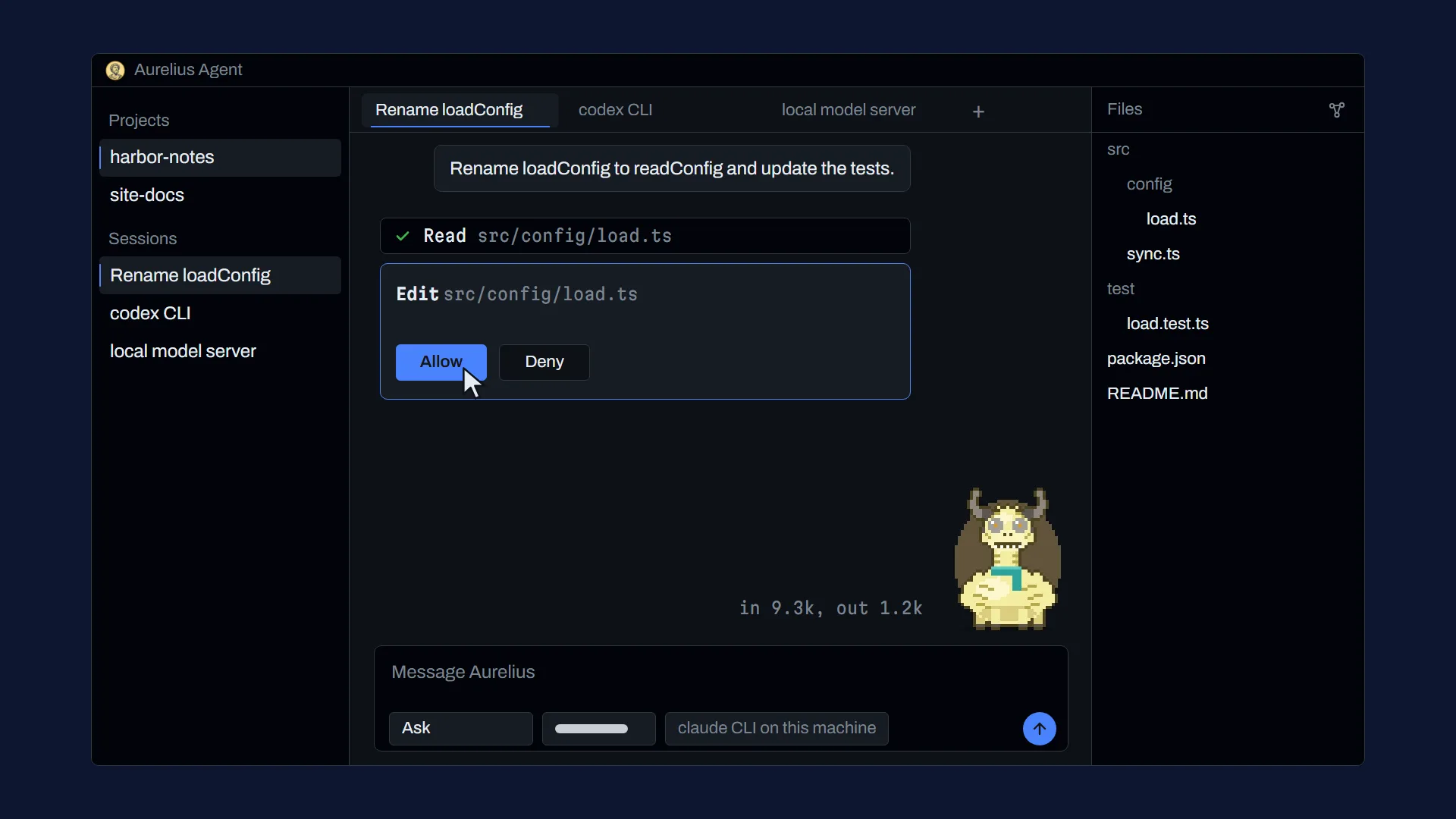
What the demo shows
- The Aurelius Agent coin strikes onto a gold ground with the line: A desktop home for the agents you already pay for.
- The app window opens on a project called harbor-notes with two sessions, an empty chat, the composer and the alpaca pet idling.
- The model menu opens with Anthropic, OpenAI and Custom models groups, and a row under Anthropic is picked, labelled claude CLI on this machine.
- The prompt Rename loadConfig to readConfig and update the tests is sent, the pet starts working and a Read tool row appears.
- A permission card asks to edit src/config/load.ts, Allow is pressed, and the permission mode is switched from Ask to Accept edits.
- Two more tool rows finish, the reply says the rename is done and tests pass, the token counter rises and the usage panel slides in.
- Tabs switch to a codex CLI session and a local model server session, and the graph view opens over the file tree.
- The ground turns gold again with the lines: Runs on the subscription you already have. Free. No extra sign-up.
Three engines, one window
Each open session runs on the engine you choose.

Claude Code
One claude process per open session, resumed when you return to it.
-
Codex
One codex app-server process per open session. Aurelius decides every permission.
-
Native engine
Aurelius runs its own turn loop against an OpenAI-compatible model server you configure, which can be a local one, with six tools: Read, List, Search, Write, Edit and Shell. Which local servers work varies, so test yours.
Aurelius spawns the CLIs you installed. It does not bundle them.
What is in the window

Plate I You decide what it may do
Each session has a permission mode: Ask, Accept edits, Plan or Allow all, changed from the composer bar. A permission card asks about the tool calls your mode does not allow.

Plate II Projects are folders
A project is a folder on your disk. Each one keeps its own sessions, shown as tabs and in a left rail with search. Click a file in the tree to put its path in your prompt.

Plate III Usage in plain sight
A context bar for the active session, one rate-limit bar per engine, token totals, and a live count of input and output tokens for the current prompt. Any dollar figure is labelled as an estimate at API list price.

Plate IV Rules it follows
Eight default rules you can edit and reorder, a personality preset (None, Direct, Teacher or Reviewer) and instructions for each project.

Plate V A pet that shows the work
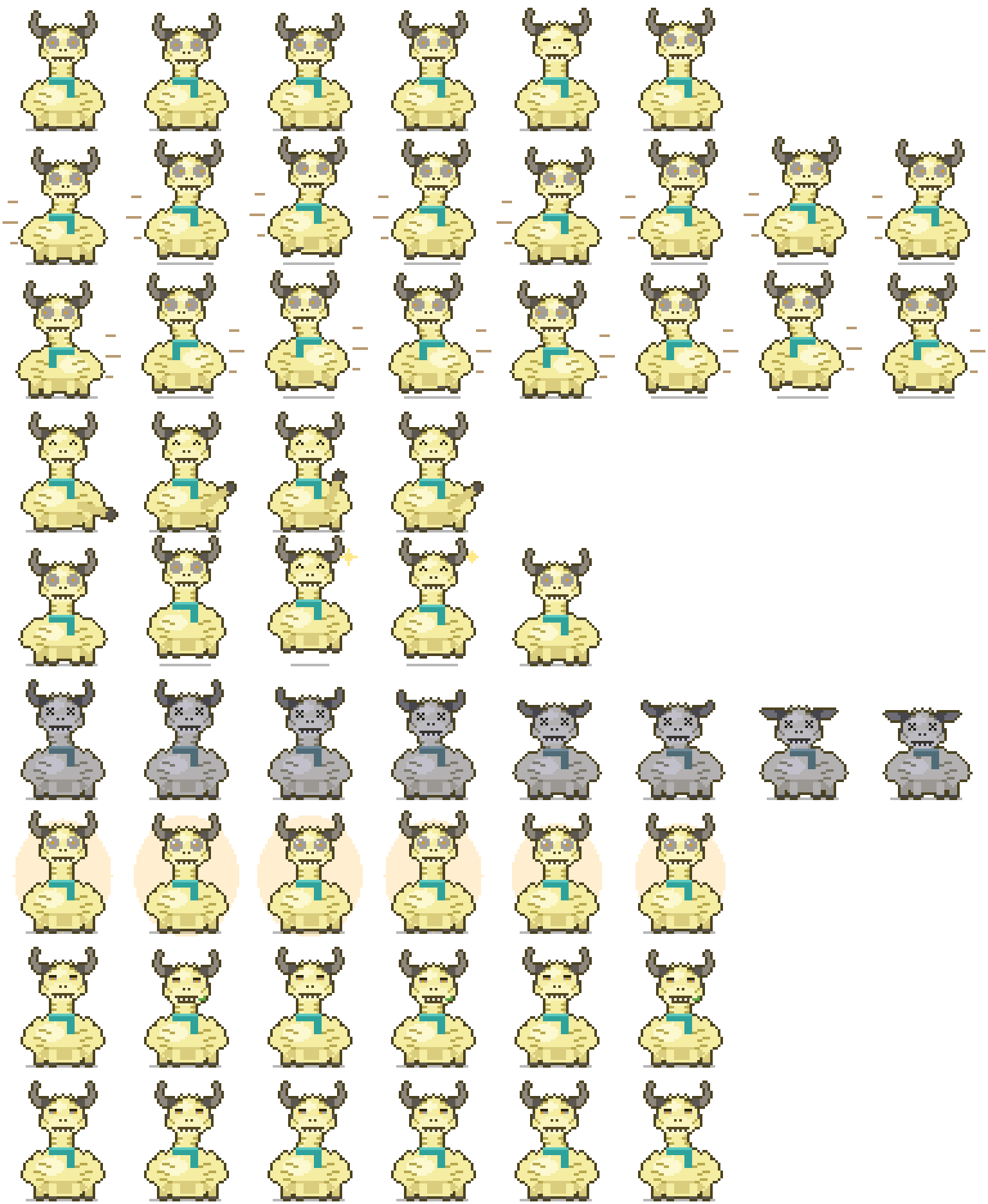
An animated sprite shows what the agent is doing, with a speech bubble. Three pets are built in, an alpaca, a capybara and a crystal, and you can import pet folders or zips.

Plate VI A graph you can look at
A graph view of the project's brain opens from the file tree, and full-text search finds past messages.
Also built
-
Prompt queue
Send another prompt while a turn runs. It waits in a queue for that session, with remove, clear and resume.
-
Slash commands
Type / for commands and skills. Tab completes commands, skills and file names.
-
Images
Paste or drop images into the composer. Images the agent writes appear as thumbnails you can enlarge.
-
Models and effort
A model menu grouped by provider, and an effort setting passed to the CLI.
-
Keys
API keys for providers are stored in the OS keychain, not in a file.
-
Clean exit
Closing a session stops its CLI process, and on Windows the process tree under it.
What Aurelius will not do
- It never bundles a CLI. It spawns only the unmodified one you installed.
- It never reads a CLI credential file or keychain entry.
- It never reads, stores or forwards a subscription token.
- It never asks you to sign up for anything extra.
Questions
Is Aurelius Agent free?
Yes. The app is free and the source is MIT licensed. You bring your own subscription or model server.
Do I need a new account?
No. Aurelius runs on the subscription you already have, through the official CLIs, and asks for no additional sign-up.
Is this an Anthropic or OpenAI product?
No. Aurelius Agent is an independent project. It drives the CLIs you installed yourself and is not affiliated with or endorsed by Anthropic or OpenAI.
Can it see my login?
No. Aurelius never reads a CLI credential file or keychain entry, and never reads, stores or forwards subscription tokens. API keys you add for other providers are kept in your OS keychain.
Can I use a local model?
Yes, through the native engine. Point it at an OpenAI-compatible model server, which can run on your machine. Which servers work varies, so test yours. Local model usage is shown as tokens only, with no dollar figure.
How do I install it?
Today you build it from source with Bun and the Tauri CLI. Installers for Windows, macOS and Linux, with signed auto-update, are planned.
Does it connect to chat apps such as Telegram or Discord?
No. A messaging gateway is not part of version 1.

Build it from source
Installers are planned. Until then you need Bun, Rust, and the claude or codex CLI installed and signed in.
git clone https://gitlab.com/dam-truong/julius-agent.git aurelius-agent
cd aurelius-agent
bun install
cd apps/desktop
bun tauri dev